
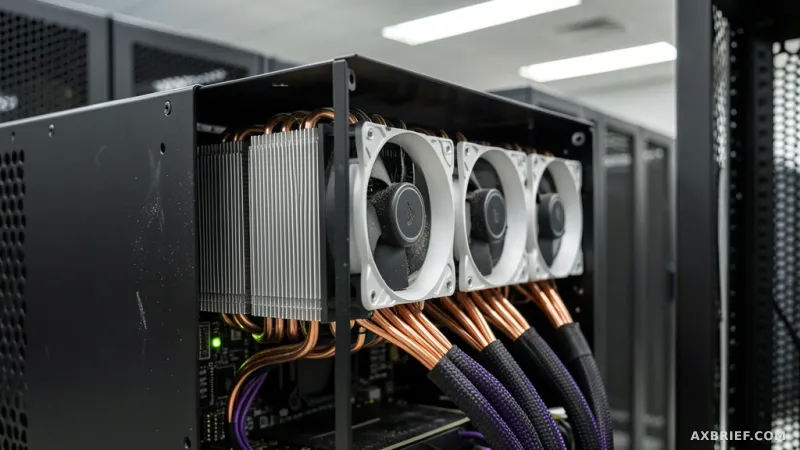
The modern AI researcher exists in a state of perpetual friction, caught between a high-end local machine and a distant, powerful GPU cluster. The workflow is usually a fragmented loop of SSH sessions, tmux windows, and the constant anxiety that a flickering Wi-Fi connection might kill a training job that has been running for forty-eight hours. While tools like VS Code Remote have bridged the gap for human developers, the rise of autonomous AI agents has exposed a new void. An agent living on a local machine cannot easily reach through an IDE to manipulate a remote server's filesystem or trigger a CUDA-intensive process without a specialized interface. This is the specific pain point that Live Git aims to solve.
The Architecture of Remote Command and Control
Live Git, invoked via the `lg` command, is engineered as a single static binary written in Go, ensuring it can be deployed across various environments without the overhead of a complex compiler toolchain. For most users, installation is handled via a Homebrew tap, providing an immediate entry point into a system designed to treat remote GPU resources as if they were local. The tool operates through four primary command pillars that streamline the interaction between the local terminal and the remote lab machine.
The core `lg` command functions as a high-speed execution bridge. By utilizing cached SSH sessions, it allows users to fire off commands to a remote GPU and receive real-time streaming of colorized output, progress bars, and exit codes directly in the local terminal. To handle the security requirements of enterprise or academic environments, `lg connect` manages Duo or 2FA authentication, establishing a secure tunnel that remains active for ten hours after a single successful login.
For filesystem interaction, `lg shell` allows the user to mount a remote repository locally. This enables the use of native editors like Vim or VS Code without the need to manually sync files. When a project is first initialized using `lg init`, the tool does more than just configure server addresses; it generates a critical set of documentation files in the project root. This includes `AGENTS.md`, which houses `CLAUDE.md` and a human-centric `GUIDE.md`. These files serve as the operational manual for any AI agent entering the workspace.
To solve the problem of session instability, Live Git introduces a detached execution mode. By running `lg run -d`, a process is launched in the background of the remote server, completely decoupled from the local machine's network state. If a laptop enters sleep mode or the connection drops, the task continues uninterrupted. Users can then reconnect and monitor the progress using `lg logs -f` to stream the output of the background process.
Shifting the Agency from Human to AI
The technical brilliance of Live Git lies not in the SSH wrapper, but in its implementation of FUSE (Filesystem in Userspace). On macOS, this requires the installation of macFuse, which enables a lazy loading mechanism for remote directories. Instead of downloading a 100GB repository—a common occurrence in deep learning—Live Git only fetches the metadata. The actual content of a file is only loaded the moment an editor opens it, and any modifications are synchronized back to the server via a journaling system. This eliminates the latency and storage bottlenecks that typically plague remote development.
However, the true twist is how this infrastructure transforms the role of the AI agent. In a traditional setup, an agent like Claude Code or Codex is confined to the local environment; it can suggest code, but it cannot easily execute a training script on a remote A100 cluster and then analyze the resulting logs. Live Git changes the subject of control. By reading the `AGENTS.md` file created during `lg init`, the AI agent becomes aware that it is operating through a proxy. It recognizes that it is not on the local device, but is instead connected to a remote GPU environment via the `lg` interface.
This awareness allows the agent to make autonomous architectural decisions. If the agent needs to modify a small configuration file, it can do so through the FUSE-mounted local file. If it needs to handle a massive dataset or trigger a GPU-bound test, it can autonomously issue an `lg` command to execute the task directly on the server. This creates a closed-loop iteration cycle where the agent writes code, deploys it to the GPU, monitors the logs, and fixes errors without human intervention.
When compared to VS Code Remote, the difference is fundamental. VS Code Remote is a window designed for a human to look through. Live Git is a handle designed for an agent to grip. While the former is dependent on a specific IDE, the latter is a CLI-first tool that integrates directly into the agent's command-line capabilities. The only significant friction remains the dependency on macFuse for macOS users and the necessity of maintaining an accurate `AGENTS.md` file, as the quality of the agent's autonomy is directly tied to the clarity of the instructions provided in that guide.
This shift effectively turns the remote server into an extension of the AI agent's own cognitive process, removing the human as the middleman in the deployment loop.



