Developers attempting to automate document workflows have long been trapped in a cycle of dependency hell. The process usually begins with a simple goal—generating a report or updating a spreadsheet—but quickly devolves into a struggle with library version conflicts between python-docx and openpyxl or the nightmare of configuring environment variables across different operating systems. Even with the rise of Large Language Models, the gap remains wide: an AI can write the content of a professional proposal, but it cannot see if a table is bleeding off the page or if a PowerPoint slide is visually cluttered. The industry has lacked a bridge that allows an agent to not only write the file but to perceive and refine its visual layout in real-time.
The Architecture of OfficeCLI and AionUi
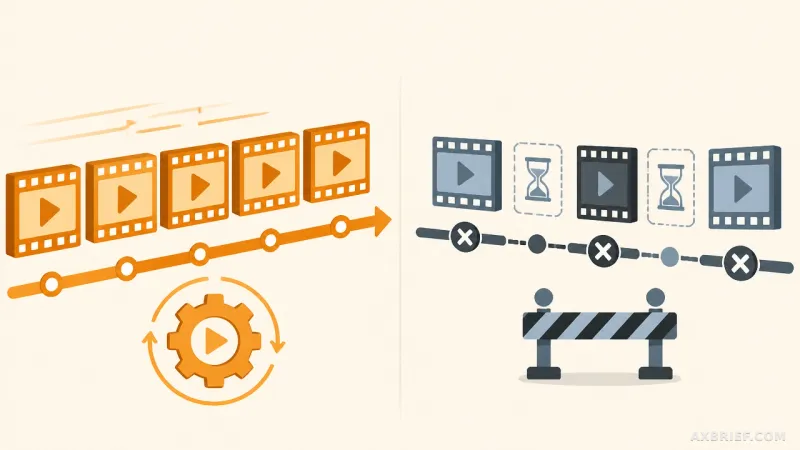
OfficeCLI emerges as a specialized tool designed to grant AI agents direct read and write access to Microsoft Word, Excel, and PowerPoint files. Unlike traditional automation scripts that treat documents as blind data streams, OfficeCLI incorporates a built-in HTML rendering engine. This engine converts .docx, .xlsx, and .pptx files into HTML or PNG formats, providing the AI agent with a visual representation of the document. This capability enables a sophisticated feedback loop where the agent renders the document, verifies the layout, and applies precise modifications based on the visual output.
For non-technical users, this power is packaged within a desktop application called AionUi. This interface allows users to generate or modify complex documents using only natural language descriptions. AionUi leverages OfficeCLI in the background to translate a user's prompt into a structured document. The tool extends beyond simple text insertion by supporting advanced technical elements. In Word, it can process LaTeX equations and Mermaid diagrams, converting them into native, editable shapes rather than static images.
The capabilities extend deeply into data and presentation software. For Excel, OfficeCLI provides access to over 350 built-in functions and the ability to construct complex pivot tables, allowing an AI to handle professional-grade data analysis. In PowerPoint, the tool enables the insertion of .glb 3D models and the configuration of slide animations, moving AI-generated presentations from basic bullet points to high-fidelity business assets.
From Blind Automation to Agentic Integration
The true shift occurs in how OfficeCLI is deployed. Most automation tools require a heavy installation of the Microsoft Office suite or a complex set of cloud APIs that introduce latency and cost. OfficeCLI bypasses this entirely. It is distributed as an open-source single binary that includes the .NET runtime. This means there are no external dependencies to manage and no requirement for the host machine to have Microsoft Office installed.
This architectural choice transforms the tool from a standalone utility into a skill that can be absorbed by AI coding agents. By simply copying the binary into the system PATH, agents such as Claude Code, Cursor, Windsurf, and GitHub Copilot can automatically detect the OfficeCLI skill. Once recognized, these agents no longer need to write Python code to manipulate a file; they can call the CLI directly to execute document edits. This removes the need for developers to design custom APIs or build fragile environments just to handle a few spreadsheets.
Furthermore, the move toward template-based generation via a CLI significantly optimizes the economic cost of AI automation. Instead of spending thousands of tokens describing every cell and margin in a prompt, the agent can utilize templates and make surgical edits. This reduces token consumption while increasing the consistency of the output. The transition is fundamental: we are moving from an era where AI suggests the content of a document to an era where AI manages the entire production pipeline, from data analysis in Excel to visual polishing in PowerPoint, all while maintaining a visual feedback loop to ensure professional quality.
This decoupling of document creation from the Office installation marks the beginning of truly autonomous office productivity.