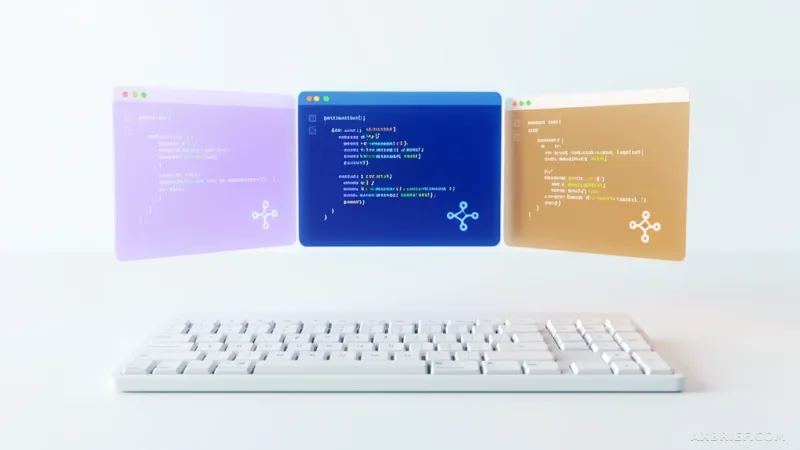
The modern developer's terminal has become a chaotic landscape of fragmented sessions. It is a common sight in the community: a dozen open tabs, each running a different AI agent, with the developer frantically switching between them to maintain a shred of context. One window handles the heavy lifting of implementation, another manages the high-level architectural planning, and a third polishes the documentation. This mental tax, known as context-switching cost, has become the primary bottleneck in the era of LLM-assisted coding. The industry has moved past the simplistic debate over which single model is the smartest and has entered a phase of pragmatic orchestration, where the goal is to determine how to blend multiple agents into a single, cohesive pipeline.
The Architecture of a Unified AI Workspace
kmux emerges as a specialized solution for this fragmentation, offering a macOS-exclusive terminal workspace designed specifically to house Claude Code, Codex CLI, and Gemini CLI within a single interface. Rather than forcing developers to juggle separate applications or disjointed terminal windows, kmux implements a system of split panes and surface tabs that allow these three distinct agents to run in parallel. This is not merely a visual convenience; it is a logical integration that centralizes control over the most prominent AI coding tools currently available. By assigning specific roles to each agent—Claude Code for implementation, Codex CLI for planning and review, and Gemini CLI for documentation—developers can execute a multi-agent workflow without leaving their primary workspace.
Beyond the layout, kmux addresses the operational friction of managing multiple API providers. One of its most critical features is a unified dashboard that monitors usage across all integrated agents. In a professional environment, tracking token quotas and API expenditures across Anthropic, OpenAI, and Google can be a logistical nightmare. kmux brings these metrics into a single view, allowing for real-time cost management and quota tracking. To further reduce cognitive load, the tool integrates native macOS notifications, alerting the developer the moment an agent completes a long-running task. This allows the user to focus on one specific problem while other agents work in the background, returning to the terminal only when the output is ready.
Persistence is another pillar of the kmux experience. The tool includes an integrated search function for local session records, enabling developers to find previous prompts or agent responses across different sessions instantly. More importantly, it allows for the immediate resumption of previous work states with a single click. For developers handling complex refactoring tasks that span several hours or days, the ability to restore the exact state of multiple AI agents eliminates the need to re-prompt the models with the same context, effectively treating the terminal as a persistent runtime for AI agents.
From Terminal Multiplexing to Agent Orchestration
To understand the significance of kmux, one must contrast it with traditional tools like cmux. While cmux focuses on general-purpose terminal multiplexing and browser automation efficiency, kmux is an opinionated tool built entirely around the specific needs of AI agent orchestration. The fundamental difference lies in how kmux handles the physical reality of the file system. When multiple AI agents attempt to modify the same codebase simultaneously, the result is usually a disaster of overwritten files and merge conflicts. Standard branch switching in Git is too slow and disruptive for this kind of high-velocity parallel work.
kmux solves this by leveraging `git worktree`. Instead of forcing agents to share a single working directory and switch branches manually, kmux uses `git worktree` to maintain multiple separate working directories for the same repository. This allows each AI agent to be assigned its own dedicated branch and physical directory. For example, Claude Code can be implementing a feature on one branch in one pane, while Codex CLI performs a rigorous code review on a separate branch in another pane. The developer can monitor the output of both agents in real-time, seeing the results of different branches side-by-side without any risk of file collision or the need to constantly run `git checkout`.
This structural approach transforms the terminal from a simple input-output device into a sophisticated management layer. The preservation of session flow is particularly notable; even if the application is restarted or panes are rearranged, the output state and session history of the agents remain intact. This prevents the common issue where a terminal crash or a workspace change wipes out a hundred lines of generated code or a complex chain of reasoning. By treating the AI agent's state as a first-class citizen, kmux ensures that the momentum of the development process is never broken by the limitations of the tooling.
This shift signals a broader evolution in software engineering. We are moving away from the era of the solo developer using a single AI assistant and toward an era of agent orchestration. In this new paradigm, the developer's primary value is no longer just writing the code, but acting as a manager for a swarm of specialized agents. The ability to delegate implementation to one expert, planning to another, and documentation to a third—all while maintaining a birds-eye view of the entire operation—is the new benchmark for productivity. The focus has shifted from the raw intelligence of the model to the continuity of the workflow.
As kmux remains in its macOS pre-release phase, it highlights a critical truth about the future of AI development: the tool that wins will not necessarily be the one with the best model, but the one that best manages the friction between models. By reducing the cost of context switching and solving the physical conflicts of parallel coding, kmux turns a fragmented set of tools into a unified production line.
Productivity is no longer defined by the intelligence of a single model, but by the efficiency of the orchestration layer that connects them.