Many developers still operate under the assumption that integrating a frontier large language model into a production service requires a massive infrastructure overhaul or a corporate budget in the tens of thousands of dollars. This perception creates a barrier to entry that separates hobbyists from enterprise engineers. In reality, the gap has closed. With a standard Python installation and a modest $5 credit, a developer can move beyond the constraints of a web-based chatbot interface and begin treating an AI model as a programmable component of a larger software architecture.
Engineering the First Call with the Anthropic SDK
To begin integrating Claude into a Python environment, the baseline requirement is Python 3.9 or higher. The process starts at the Claude Console, where users must generate an API key and load a minimum of $5 in credits to enable immediate requests. The connection between the local environment and Anthropic's servers is managed through the official SDK, which can be installed via the following command:
pip install anthropicSecurity is a primary concern in professional development, and hardcoding API keys directly into source code is a critical vulnerability. The industry standard is to utilize environment variables, specifically naming the key `ANTHROPIC_API_KEY`. By employing the `python-dotenv` library, developers can store this sensitive string in a `.env` file at the project root. The SDK is designed to automatically detect this specific environment variable, streamlining the authentication process and preventing accidental credential leaks to version control systems.
The primary gateway for communication with the model is the `client.messages.create()` function. This method requires three essential parameters to function: the model ID, `max_tokens`, and the `messages` list. The model ID identifies the specific version of Claude being invoked, while the `messages` parameter accepts a list of dictionaries containing the role and the content. A critical structural requirement is that the first message in this list must always be from the user; otherwise, the API will return an error, as the conversation must be initiated by a human prompt.
The `max_tokens` parameter serves as a hard ceiling for the model's output. If the AI reaches this limit before completing its thought, the generation is terminated instantly, regardless of whether the answer is logically finished. For open-ended queries or complex technical requests, setting this value sufficiently high is the only way to prevent truncated responses that can break downstream parsing logic.
Decoding the Response Object and State Management
When `client.messages.create()` returns a result, it does not provide a simple string. Instead, it returns a typed Message object that encapsulates the generated text along with critical metadata. To extract the actual response text, developers must navigate to `response.content[0].text`. This structure exists because the API is designed to support multi-modal content, where a response might contain a mix of text and other data blocks.
Beyond the text, the `stop_reason` field provides a diagnostic window into why the model stopped generating. A value of `end_turn` indicates a successful, logical conclusion to the response. However, if the value is `max_tokens`, it signals that the output was cut off by the limit set in the request. In a production environment, monitoring this field is essential; it allows the system to either automatically retry with a higher token limit or alert the developer that the prompt is generating excessively long responses.
Similarly, the `usage` field tracks the exact number of input and output tokens consumed by the request. Since Anthropic bills based on these metrics, this data is the primary tool for cost auditing. A sudden spike in input tokens often reveals a leak in conversation history management or the inclusion of redundant data in the prompt, providing an objective metric for optimization.
To inspect the full architecture of the response object for debugging purposes, a simple print statement suffices:
print(response)Relying solely on the extracted text is a risky strategy. Without checking the `stop_reason`, a system might present a truncated, hallucinated, or incomplete answer as a complete fact. By building logic that validates the generation state and tracks usage, developers transition from simple scripting to stable service operation.
Precision Control via System Prompts and Streaming
As conversations grow in length, models often suffer from recency bias, where they prioritize the most recent messages over the initial instructions. To counter this, the Claude API provides a top-level `system` parameter that is distinct from the `messages` list. Unlike earlier LLM implementations that mixed system instructions into the chat history, Claude treats the system prompt as a permanent set of constraints and a fixed persona.
This parameter acts as the absolute law for the model's behavior. It is used to define the tone, enforce specific output formats, and inject background knowledge that must persist throughout the entire session. Even if a user attempts to steer the conversation in a different direction, the rules defined in the system prompt remain active without needing to be repeated in every turn.
In professional workflows, this is used to transform a general-purpose AI into a specialized tool. For instance, a developer can create a strict code reviewer that ignores all conversational pleasantries and outputs only Python code. This reduces the consumption of output tokens, lowering costs and eliminating the need for complex regex cleaning when the AI output is fed into another automated pipeline.
An implementation of this precision control looks like this:
client.messages.create(
 model='claude-3-5-sonnet-20240620',
 system='You are a code reviewer who only responds in Python and avoids general explanations.',
 messages=[
 {"role": "user", "content": "Check this code for bugs."}
 ],
 max_tokens=1024
)
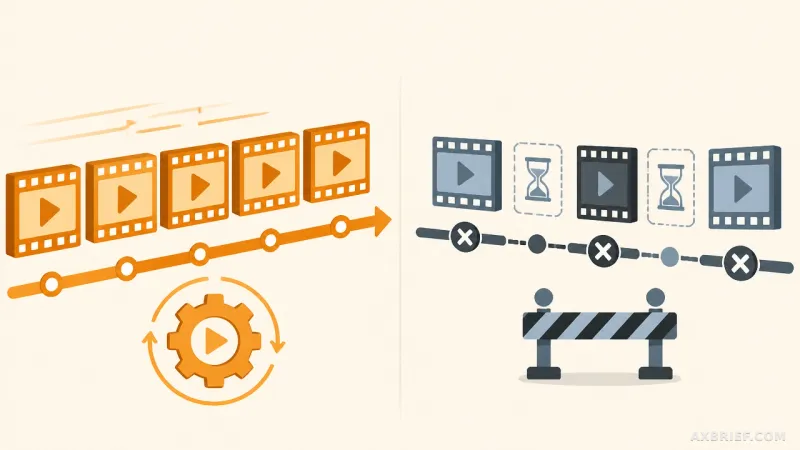
To further enhance the user experience, the `client.messages.stream()` function addresses the latency inherent in generating long responses. Waiting for a full response to generate can make an application feel frozen. Streaming solves this by using a context manager to handle the HTTP connection, ensuring resources are closed even if an exception occurs.
The core of this functionality is the `text_stream` iterator, which yields small chunks of text as they are generated. By using the `end=""` and `flush=True` options in the Python print function, the text appears on the screen in real-time, matching the human reading speed.
with client.messages.stream(...) as stream:
 for text in stream.text_stream:
     print(text, end="", flush=True)
Because streaming provides only fragments of text, the full response object is not available until the stream ends. To retrieve the final token count or the `stop_reason`, developers must call `stream.get_final_message()` before the block closes. This allows for a seamless UX that doesn't sacrifice the ability to perform backend cost tracking.
Overcoming Statelessness and Scaling to Automation
One of the most significant shifts for developers moving from a web interface to an API is the reality of statelessness. While the Claude web chat remembers previous interactions, the API does not. Every request is a blank slate. To maintain context, the developer must manually manage the conversation history, appending every previous user prompt and model response back into the `messages` list for every new call.
This creates a tension between context and cost. As the history grows, the input token count increases linearly, eventually hitting the model's context window limit. Professional implementations must therefore include logic to prune old messages or summarize previous turns to keep the prompt lean and the costs manageable.
For those scaling beyond simple Q&A, the path forward involves Structured Outputs and Tool Use. Structured Outputs force the AI to respond in a predefined schema, allowing the data to be inserted directly into a database without manual parsing. Tool Use allows the AI to act as an agent, deciding when to call external functions to fetch real-time data or trigger system actions. Detailed specifications for these advanced capabilities are maintained in the official documentation at docs.anthropic.com.
The stability of an AI service is not found in the model's raw power, but in the precision of the system prompt and the rigor of token tracking. When a developer moves from the chat window to the Python SDK, the AI ceases to be a conversational partner and becomes a functional component of business logic.
Integrating these constraints and monitoring tools from the first call is the only way to ensure that a prototype can survive the transition to a production environment.