The modern smartphone user is currently trapped in a cycle of app-switching and prompt-engineering. For the past year, the promise of AI has largely manifested as a separate chat window—a digital assistant that requires a specific request to perform a specific task. Users open a chatbot, describe their problem, copy the result, and then manually navigate to another app to execute the action. This friction has created a ceiling for AI adoption, where the tool feels like an additive layer rather than a fundamental improvement to the operating system.
The Blueprint for Embedded Intelligence in iOS 27
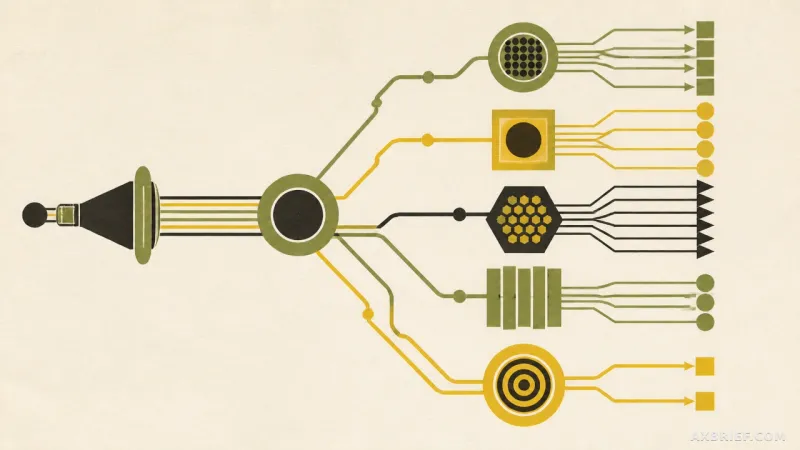
Apple is attempting to break this cycle with iOS 27, shifting the center of gravity for Apple Intelligence from a standalone interface like Siri to the internal logic of individual applications. The core objective is the elimination of the middleman. Instead of asking a chatbot to help manage a task, the AI is now woven into the fabric of the apps users already inhabit. This rollout includes a suite of features designed to handle mundane administrative burdens, ranging from financial splitting to security maintenance.
One of the most tangible additions is the integration with Apple Cash. The system now utilizes a sophisticated image-to-transaction pipeline. When a user captures a photo of a receipt, Apple Intelligence extracts the critical data points—individual line items, quantities, tips, and the final total. This data is then pushed directly into a message group chat, allowing users to allocate costs without manual entry. The process concludes with the standard Apple Cash double-click payment mechanism, turning a multi-step accounting chore into a streamlined flow.
Security is handled through what Apple describes as agentic behavior. Rather than simply notifying a user that a password has been leaked, the system acts as an autonomous agent. It identifies the vulnerability, navigates to the affected website, manages the login process, and upgrades the password to a secure version on the user's behalf. This moves the AI from a passive advisor to an active operator.
Communication and organization also receive deep integration. The Messages app now provides contextual suggestions by linking with Reminders, Photos, and the Calendar to offer one-tap responses. The Phone app introduces Call Context, which scans the Mail app for relevant information—such as a reservation code or a confirmation number—and displays it on the call screen the moment a user dials a corporate customer service center. For productivity, the Calendar and Shortcuts apps now support full natural language processing. Users can describe a schedule or a complex automation in plain English, and the system converts that text into a structured event or a script-based workflow.
Finally, the Home app and Safari are optimized for cognitive load. The Home app now groups related events—such as a garage door opening followed by a mailbox check and a front door entry—into a single, cohesive notification. Safari introduces topic-based tab grouping, which analyzes open pages to organize them by subject automatically. These features are currently available in the developer beta, with a public beta expected to follow before the full release this autumn.
The Shift From Conversational to Invisible AI
The technical significance of iOS 27 lies in the transition from conversational AI to embedded AI. For the last several iterations of mobile intelligence, the industry has focused on the chat interface. The user provides an input, and the AI provides an output. This is a reactive model. iOS 27 proposes a proactive model where the AI is a ghost in the machine, appearing only when the context demands it. When a user takes a photo of a receipt or makes a phone call, the tool manifests as a feature of the app, not as a separate conversation.
This shift is underpinned by a strict adherence to on-device processing to solve the inherent tension between AI utility and data privacy. The Call Context and Safari tab grouping features are prime examples of this architecture. By analyzing browsing data and email contents locally on the device, Apple ensures that sensitive personal information never leaves the hardware. This removes the latency associated with cloud round-trips and eliminates the privacy risks associated with sending personal correspondence to a remote server for analysis.
Perhaps the most disruptive change is the democratization of the Shortcuts app. Historically, Shortcuts was a tool for power users, requiring a deep understanding of logic blocks and scripting. By allowing users to build workflows through natural language—such as requesting a daily alarm that syncs with a shifting calendar—Apple has lowered the barrier to entry for system-level automation. The AI acts as a translator, converting human intent into machine-executable code.
From an operational perspective, this represents a move toward context-aware computing. The Home app's notification grouping proves that Apple is moving away from event-based alerts toward activity-based alerts. Instead of treating every sensor trigger as a unique event, the system now understands the narrative of a user's movement through their home. This reduces notification fatigue and transforms the device from a list of alerts into a source of meaningful insights.
This evolution signals a new mandate for UX design. The goal is no longer to build a better chatbot, but to make the AI invisible. By integrating intelligence into the existing workflow, Apple is attempting to make the technology a seamless extension of the user's intent rather than a destination they must visit.
The era of the AI prompt is giving way to the era of the AI feature, where the most powerful tools are the ones the user never has to explicitly ask for.