A lot of teams hit the same wall when they try to run a coding agent in a real terminal: the agent suggests code, but the next steps—where to put deployment settings, how to wire CI/CD, and what to check in logs—are scattered across docs.
This week, Google is trying to remove that friction with a single command-line workflow built around its agent development stack.
Section 1: What Google Agents CLI actually is, and what it does
Google introduced agents-cli at Cloud Next as a CLI tool aimed at “agent building” for coding assistants that run on Google Cloud. The pitch is not that you use the CLI to build an agent from scratch; it’s that you use it to raise the quality of the agent you already want to run.
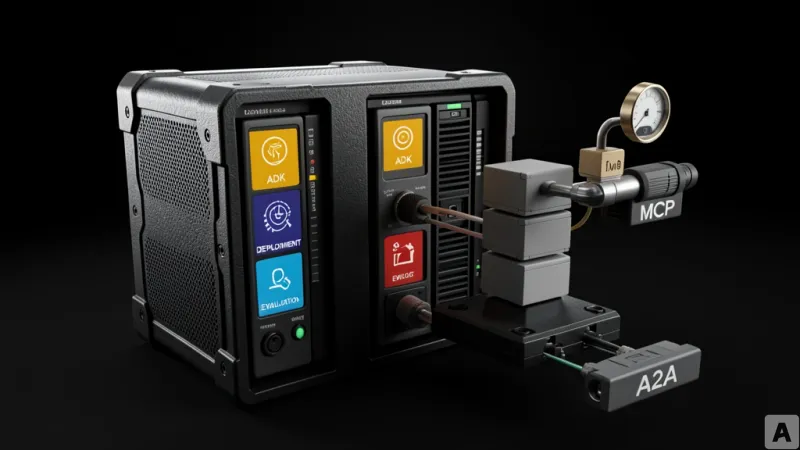
At the center of that workflow is Google’s ADK, the Agent Development Kit. agents-cli uses ADK as the backbone for an end-to-end lifecycle: it takes you from project generation through evaluation and deployment, and then into enterprise registration.
The install flow is intentionally minimal, but it still reflects the tool’s dependency on a modern local dev environment. Google requires Python 3.11 or later, uv (a Python package manager), and Node.js.
uvx google-agents-cli setupOnce installed, agents-cli operates by injecting seven “skills” into coding agents. The tool treats these as distinct responsibilities that map to concrete parts of an agent system, not vague best practices. The seven skills are:
Workflow design.
ADK code writing.
Project scaffolding, meaning it generates the project skeleton automatically.
Evaluation, including an LLM-as-judge approach.
Deployment, including Agent Runtime, Cloud Run, and GKE.
Gemini Enterprise publishing.
Observability, meaning logs and traces that help teams understand system state.
Google also positions agents-cli as more than a deployment wrapper. It supports tool connectivity through “Tool Wiring,” including:
MCP (Model Context Protocol), which standardizes how a model calls external tools.
A2A (Agent-to-Agent), which defines how agents communicate with each other.
Connectors, which are the integration points that let the agent ecosystem talk to the outside world.
For local development, Google says you can work with an AI Studio API key alone. For cloud deployment, you only need a Google Cloud account when you actually push the agent into a cloud environment.
One practical tension shows up immediately: teams don’t just need an agent to generate code; they need the surrounding system—evaluation, runtime, and monitoring—to be consistent across environments. agents-cli is built to make that consistency the default.
Section 2: So what’s actually different from “run the agent and then figure it out”
The key shift is that agents-cli treats platform engineering work as part of the agent’s delivery pipeline, not as a separate manual phase.
In many existing setups, a coding agent produces code and then the human team has to stitch everything together. That stitching often includes deployment configuration and CI/CD pipeline work—automating tests and deployments when code changes. In other words, the agent’s output is only half the job; the other half is still a human-driven integration exercise.
Google’s approach is to move that second half into the CLI itself. The tool includes a command called scaffold enhance, which is designed for “after the fact” integration. If you already have an agent project, you can attach the deployment configuration and CI/CD pipeline later, rather than starting from a blank template.
That matters because it changes the failure mode. Instead of teams discovering late that their deployment and evaluation steps don’t match what the agent expects, the CLI aims to generate the missing pieces in the same workflow.
There’s another subtle but important framing: Google says the agent does not have to be present for every step. The tool can run independently in a terminal even without a coding agent. That’s a reversal from the common mental model where the agent is always the center of the workflow.
Using the same analogy Google’s documentation implies, it’s like moving from “the cook adjusts the flame while following a recipe” to “the rules for flame control are embedded in the tool.” The agent still matters, but the operational logic is no longer entirely dependent on the agent’s behavior at runtime.
The causation here is straightforward. When you standardize workflow design, scaffolding, evaluation, deployment targets, and observability as a single CLI-driven lifecycle, you reduce the number of decisions engineers must make under time pressure. You also reduce the number of places where those decisions can drift—because the “where do I put this setting?” problem stops being a scavenger hunt across documents.
That’s why the biggest day-to-day benefit isn’t just “the agent writes better code.” It’s that teams spend less time deciding how to combine components in the right order and with the right configuration.
Google also aims to improve team understanding, not just execution. The tool is designed so the coding agent explains not only what it did, but why it made those decisions. That’s an attempt to raise platform literacy inside the team, so the next agent iteration doesn’t start from zero.
Section 3: The limitations you should plan for before adopting it
Even if the workflow sounds comprehensive, agents-cli is not positioned as a fully open, community-driven tool today.
Google currently lists it as Pre-GA, meaning it’s still before general availability. More importantly for open-source contributors, the tool is distributed as a pre-built .whl file rather than as source code. That packaging choice limits direct code contributions from the open-source community, because there’s no straightforward path to submit patches to the CLI itself.
There’s also an ecosystem constraint. The tool is centered on Google Cloud’s agent ecosystem. That can be a good fit for teams already standardized on Google’s stack, but it may be less attractive for organizations that run multi-cloud environments or rely heavily on non-Google infrastructure. In those cases, the “single workflow” promise may collide with the reality that deployment targets and runtime expectations differ across clouds.
Finally, there’s the organizational risk that comes with any attempt to converge docs, tooling, and operational steps into one system. If the CLI becomes the primary way your team does agent deployment and evaluation, then you also concentrate risk and dependency on that one toolchain.
That doesn’t mean teams shouldn’t try it. It means they should evaluate it like any platform dependency: what happens if the tool changes, how quickly the team can adapt, and whether the workflow can be replicated or exported if needed.
Section 4: Where this leads for agent teams building in production
agents-cli is essentially a bet that coding agents will only become truly operational when the surrounding platform lifecycle—ADK-based scaffolding, evaluation, deployment, and observability—moves into the same command-driven workflow.
If Google’s Pre-GA approach lands well, the next wave of agent tooling won’t just generate code; it will ship the operational decisions that make that code runnable, measurable, and maintainable.