
The modern developer is currently caught in a high-stakes tension between productivity and paranoia. With the rise of agentic AI and the introduction of computer-use capabilities, the dream is no longer just a chatbot that suggests code, but an agent that can actually execute it, install dependencies, and configure environments. Yet, the reality of granting a Large Language Model root access to a primary workstation is a nightmare scenario. One hallucinated command or an over-aggressive cleanup script could wipe a decade of local configuration or compromise sensitive SSH keys. This friction has created a growing trend in the dev community: the shift toward dedicated, isolated AI hardware.
The Architecture of an Isolated AI Workstation
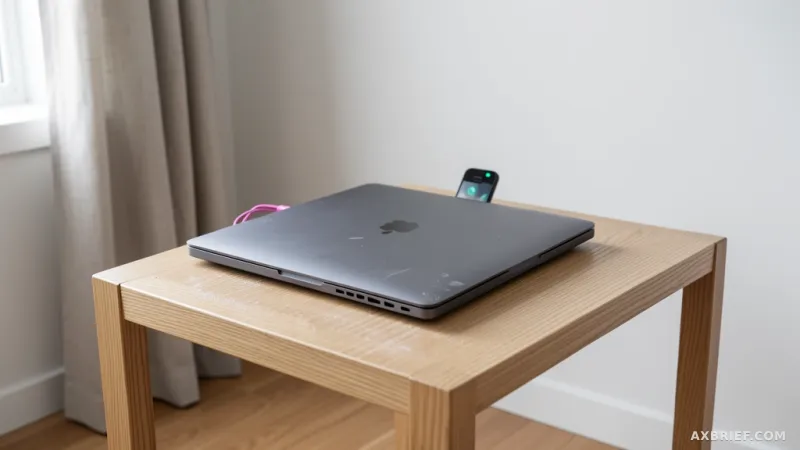
To leverage Claude Code—Anthropic's terminal-based AI coding tool—without risking a primary machine, the most effective strategy is repurposing a spare MacBook as a dedicated AI workstation. This approach transforms a dormant piece of hardware into a persistent, remote-controlled environment that the AI can manage entirely. The core of this setup relies on establishing a secure but open pipeline between the main development machine and the target Mac. This begins with enabling Remote Login via the macOS system settings, which opens the SSH (Secure Shell) gateway necessary for remote command execution.
However, standard SSH access is not enough for an autonomous agent. An AI agent frequently hits a wall when it encounters a password prompt for administrative tasks. To solve this, the workstation requires a specific sudoers configuration that allows the agent to execute commands with root privileges without requiring a manual password entry. By creating a sudo rule file, the system is instructed to trust the specific user account running Claude Code, ensuring that the AI can install software or modify system settings without the process hanging on a prompt it cannot answer. This removes the human-in-the-loop bottleneck that typically kills agentic momentum.
Persistence is the next critical hurdle. A standard MacBook is designed to save energy, meaning it will enter sleep mode or trigger a screen saver after a period of inactivity. For an AI agent, a sleeping machine is a dead machine; the network connection drops, and the current task is aborted. To prevent this, the `pmset` command is used to override default power management settings, effectively disabling sleep and hibernation. This ensures the machine remains in a high-availability state, ready to receive commands from the Claude app on a mobile device or an SSH session from a main PC at any hour.
To further stabilize the environment, developers are deploying tmux as a launch agent. This allows the AI's session to persist even if the SSH connection is interrupted, providing a stable shell where the agent can continue long-running tasks in the background. When combined with the `--dangerously-skip-permissions` flag during execution, the AI is granted the freedom to operate at full speed, but the risk is physically contained within the spare hardware.
Beyond Virtualization and the Clipboard Gap
At first glance, a virtual machine or a Docker container might seem like a sufficient alternative to a physical spare Mac. However, the limitation of virtualization becomes apparent the moment the workflow moves beyond the terminal. Many professional development tasks require Mac-specific applications, such as Unity or Xcode, which are notoriously difficult to run efficiently in containerized environments. More importantly, the computer-use feature—which allows the AI to actually see the screen, move the cursor, and click buttons—requires a level of hardware-software integration that VMs often struggle to emulate without significant lag or compatibility issues. A physical Mac provides the AI with a native environment where it can interact with GUI applications exactly as a human would.
Even with a physical machine, a significant friction point remains: the clipboard. Moving snippets of code, logs, or image data between a main PC and a remote AI workstation usually involves cumbersome copy-pasting through a terminal or using third-party cloud services. This is where `clip.sh` becomes essential. This script wraps the native macOS `pbcopy` and `pbpaste` functions within an SSH tunnel, creating a direct, encrypted P2P link between the two machines.
By bypassing Apple ID syncing or external clipboard managers, `clip.sh` allows the developer to copy a piece of code on their main machine and have it instantly available to the AI on the remote Mac, and vice versa. This creates a seamless loop where the human provides the high-level direction and the AI handles the heavy lifting on the isolated hardware, with data flowing freely but securely between the two. The result is a hybrid workflow that combines the safety of a sandbox with the power of a native macOS environment.
This infrastructure solves the fundamental paradox of AI agency. It provides the AI with the total control it needs to be truly useful—the ability to modify files, run scripts, and control apps—while maintaining a physical air-gap that protects the developer's primary digital life. The transition from a shared environment to a dedicated workstation changes the nature of the interaction; the AI is no longer a guest on your computer, but the owner of its own dedicated lab.
When you stop treating the AI as a chat interface and start providing it with its own dedicated infrastructure, the relationship shifts from a tool to a teammate.



