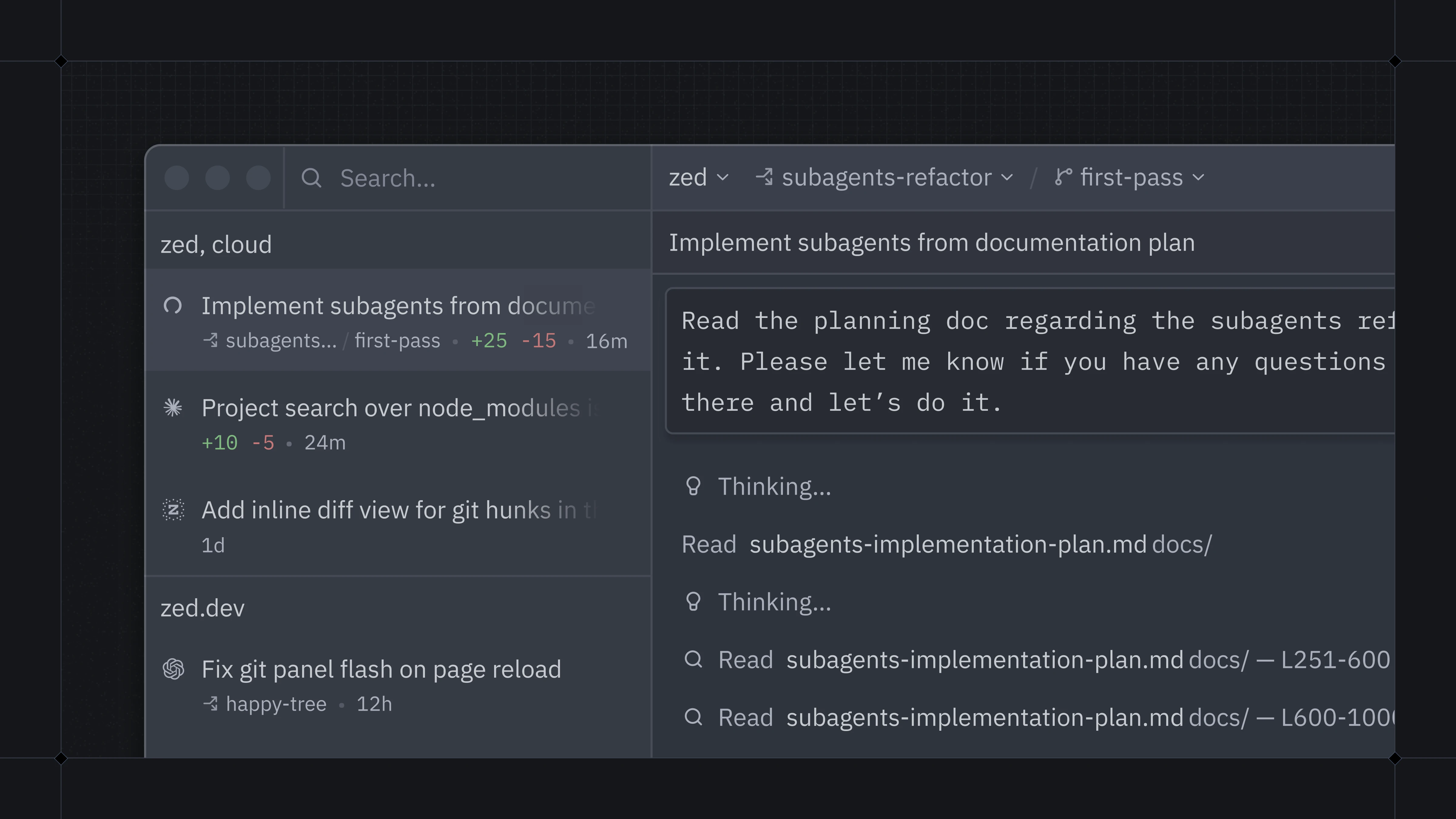
Every morning, a developer opens their IDE. One agent is modifying code while another reads documentation and a third runs tests — all happening simultaneously in the same window. This is the scene Zed's latest release enables with its new Parallel Agents feature.
Threads Sidebar Controls Each Thread's Repository Access
Zed has been redesigned to run and coordinate multiple agent threads concurrently within a single window. The new Threads Sidebar gives developers precise control over which folders and repositories each thread can access, while providing a central monitoring point for all running threads. Each thread can use a different agent, and a single thread can read and write across multiple projects and repositories. Worktree isolation can be applied per thread as needed.
The feature operates within Zed's 120 fps environment, lets developers choose their preferred agent, and is fully open-source. The team tested the system with hundreds of threads running for days, and went through multiple UX iterations and lengthy internal discussions to polish rough edges that developers might not notice.
Previously One Agent Handled One Project. Now Each Thread Combines Different Agents and Repositories.
Before this release, a single AI agent could only access one project or repository. Working across multiple projects required restarting the agent or opening separate windows. Now the Threads Sidebar groups all threads by project, making it easy to manage multiple agent tasks simultaneously.
Each thread can use a different agent (choose your agent), work across multiple projects, and perform reads and writes across several repositories. Worktree isolation can be toggled per thread. Common actions like stopping a thread, archiving it, or starting a new one are available directly from the sidebar.
The default layout has been reorganized around the Threads Sidebar: Threads and Agent Panel sit on the left, while Project Panel and Git Panel move to the right. Existing users can opt into this layout. Those who prefer a different arrangement can right-click panel icons in the bottom bar to change docking positions, or adjust settings in the Settings Editor.
The shift developers will feel immediately is a move away from the binary choice of fully trusting AI or fully excluding it. Instead, Zed focuses on combining hands-on coding workflows with AI tools to build trustworthy, well-designed systems. Parallel agents were built around this principle, with the goal of improving the large-scale agent experience. It took longer to develop and the process wasn't easy, but the result is a system that handles more demanding tasks without sacrificing craft.
Parallel Agents are available in the latest Zed release. The Threads Sidebar can be opened via the icon in the bottom-left corner, or with keyboard shortcuts: `option-cmd-j` on macOS, `ctrl-option-j` on Linux and Windows.